Before you start
You need four things: a Mac running macOS 26 or later, an iPhone or iPad running iOS 26 or iPadOS 26 or later, both on the same home Wi-Fi (a Mac connected by Ethernet works too), and your photos or music already sitting in folders on the Mac. Why those versions? →
Set it up
It takes a few minutes, and most of it is waiting for the first import. Raza Photos and Raza Songs set up the same way, so these steps cover both.
- 1Install Raza Photos, Raza Songs, or both on your Mac.
- 2Point the app at the folders where your photos or music already live. It reads your files where they are and builds its own index. Nothing is copied or moved.
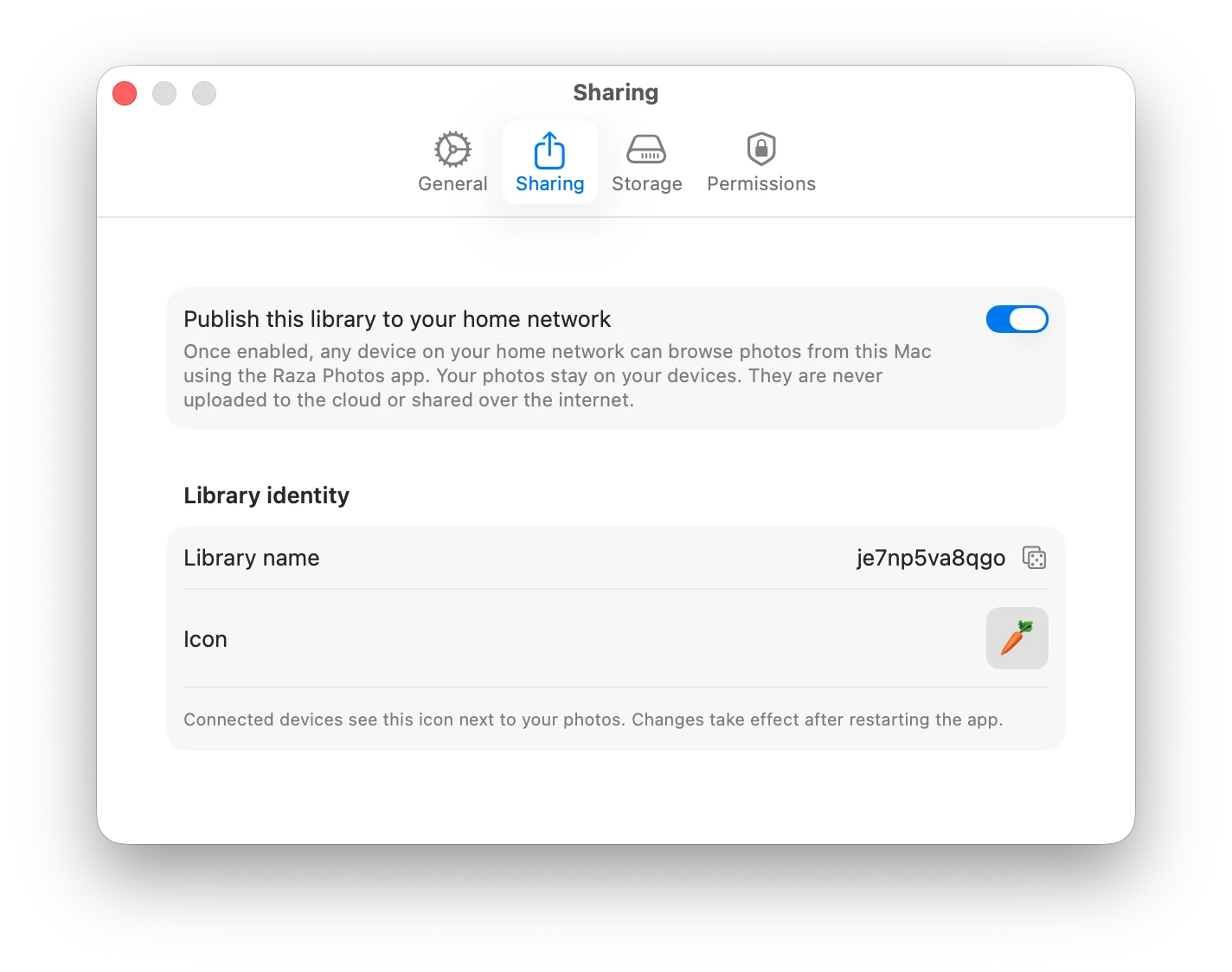
- 3Open the Sharing tab in the Mac's settings and switch on Publish this library to your home network.
- 4Install the app on your iPhone or iPad and open it. Your library appears within a second or two. The first time, iOS asks for Local Network access. Allow it, because that is how the app finds your Mac.
- 5Browse your photos, or play your music. That's the whole setup.
Two things worth knowing from day one
Your Mac is the server. The library is available while the app is running on an awake Mac. Closing the app's window doesn't stop it: with library sharing on, the app keeps running in the menu bar. How library sharing works →
Backups are yours. Your files stay in your own folders, which is the point, and it also means nobody else is keeping a copy. A simple backup plan →
Once it works
A few things worth trying next. In Raza Photos you can send photos from your iPhone to your Mac, fix dates and locations from your phone, and put a memory on your Home Screen. In Raza Songs you can browse by cover or by list and play with the queue and Now Playing view. Both have per-device read-only controls for the other people in the house.
If your library doesn't appear
Check that the Mac is awake with the app running, that sharing is on, and that your iPhone is on the same Wi-Fi network and not a guest network. If that doesn't do it, our troubleshooting guide goes through every cause in order, including router settings. iPhone can't find your Mac? →